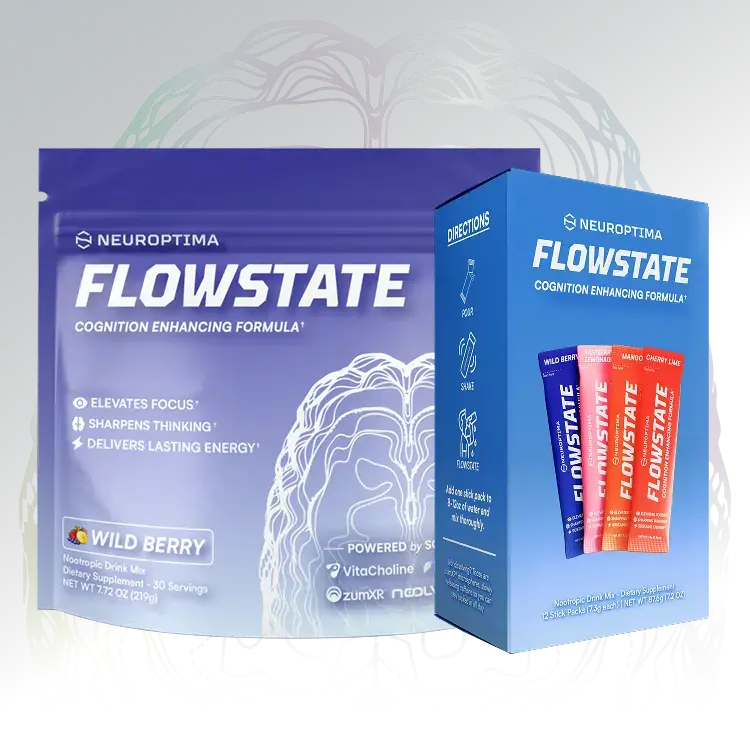
Flowstate Lead Magnet: Energy Curve
Objective
The goal is to build an interactive front-end experience that turns product curiosity into qualified leads, personalized product education, and purchase-ready segments.
Instead of asking a new visitor to immediately understand Flowstate, compare ingredients, and decide whether to buy, the experience helps them answer a more useful question:
Where does Flowstate fit into my day, my caffeine tolerance, and the kind of focus session I care about?
The experience helps visitors understand where Flowstate fits, gives them a useful result worth saving, and creates a natural path into email follow-up and purchase.
Current Opportunity
Neuroptima already has the beginning of this system.
- The site has a quiz-style Find My Formula flow.
- Flowstate is already positioned around sustained energy, focus, mental clarity, peak performance, and avoiding the usual energy drink crash.
- The Flowstate FAQ already points users toward a dosage or serving calculator concept.
- The current quiz captures useful intent, but it can be turned into a more memorable tool with a visual result, stronger segmentation, and a clearer path into email and purchase.
The opportunity is to turn Neuroptima's education and recommendation flow into a more useful, personalized, and measurable path from curiosity to purchase.
Recommended Concept
Start with one focused tool:
Flowstate Energy Curve
A personalized focus and timing guide that helps visitors visualize when Flowstate may start, peak, sustain, and taper based on their use case, caffeine tolerance, serving time, and sleep window.
The experience stays within approved product guidance. It gives visitors a practical timing result without making medical claims or unrestricted dosage recommendations.
The simple promise:
Answer a few questions and get your Flowstate Energy Curve, a personalized focus and timing guide.
Concept Demo
The demo below shows how the Flowstate Energy Curve feels to a visitor coming from an ad, social post, email, or product page. They answer a few questions, enter their email, and receive a personalized result with a clear next step toward Flowstate.
How The User Flow Works
The flow is designed to be short, visual, and easy to complete on mobile.
1. Landing Page
The user lands on a dedicated page such as /energy-curve or /flowstate-calculator.
The page quickly explains the value:
- see your estimated focus window
- find the best time to take Flowstate
- understand whether you are caffeine-sensitive, high-tolerance, or sleep-risk
- get a product recommendation and usage guide sent to your email
2. Intake Questions
The intake uses 6-8 questions. Any additional questions need to clearly improve the result.
Recommended inputs:
- Use case: gaming, studying, work sprint, workout, creative session, or long focus block
- Desired start time: when the user wants to feel locked in
- Desired duration: short session, medium session, long session
- Caffeine tolerance: sensitive, normal, high tolerance
- Daily caffeine intake: none, light, moderate, heavy
- Jitter sensitivity: low, medium, high
- Bedtime: used to flag late-day timing risk
- Meal timing: empty stomach, light meal, full meal
3. Result Preview
Before asking for email, the experience gives the visitor a preview of their result so the email step feels earned.
Example preview:
- Your likely focus profile: long-session gamer
- Your sensitivity: moderate caffeine tolerance
- Your main timing risk: late-day sleep window
- Unlock your full Energy Curve and timing guide
4. Email Capture
Email capture happens after the user has invested in the intake and seen enough value to care about the result.
The CTA is direct:
Send me my Energy Curve
This gives Neuroptima a better reason to capture the email than a generic discount modal.
5. Full Result Page
The full result page includes:
- a personalized Flowstate Energy Curve graph
- estimated onset, ramp-up, peak, sustained focus, and taper windows
- a best-time-to-take-it recommendation
- a bedtime or late-day caution if relevant
- a label-safe starting point, phrased inside approved serving guidance
- a product recommendation or bundle path
- a buy button, sample offer, or subscription CTA
- a short explanation written in the user's language: gamer, student, creator, work sprint, or workout
6. Email Follow-Up
The user also receives the result by email, which starts the nurture flow.
This email includes:
- their Energy Curve image or summary
- their suggested timing window
- the recommended Flowstate product path
- a product education module
- a purchase CTA
What The Result Shows
The result makes the product easier to understand without pretending to predict a biological response perfectly.
Graph sections:
- Start: when the user plans to take Flowstate
- Ramp: expected onset window
- Peak: the main focus and energy window
- Sustain: the longer-session window Flowstate is built around
- Taper: the come-down window
- Sleep caution: if the selected time is too close to bedtime
Example result copy:
Your best Flowstate window looks like a late-afternoon work sprint, not a late-night dose. Based on your caffeine sensitivity and bedtime, the better move is to use Flowstate earlier in the day and stay within the product's suggested serving guidance.
The actual values are calculated by rules, not invented by AI.
Segmentation Value
Beyond the user-facing result, each completion gives Neuroptima useful segmentation data.
Useful segments:
- competitive gamer
- student
- work sprint / productivity user
- creator or streamer
- workout user
- caffeine-sensitive user
- high-tolerance caffeine user
- late-night user with sleep risk
- first-time nootropic buyer
- high-intent buyer who clicked through to product
These segments can drive email flows, offer strategy, landing page variants, UGC angles, and retargeting audiences.
Email And Automation Flow
The intake connects to Klaviyo or Neuroptima's current email platform. Each quiz completion creates or updates the customer profile.
Events and properties to send:
- Event: completed Energy Curve
- Use case: gaming, studying, work, workout, creator, other
- Caffeine profile: sensitive, normal, high tolerance
- Timing profile: morning, afternoon, evening, late-night risk
- Recommended product: Flowstate powder, capsules, sample, bundle, or subscription
- CTA clicked: buy, sample, subscribe, learn more
- Quiz source: organic, paid ad, influencer, email, social bio, ambassador page
Suggested Nurture Sequence
Start simple:
- Email 1: your Flowstate Energy Curve
- Email 2: why sustained focus beats a spike-and-crash routine
- Email 3: ingredients and product education using approved claims
- Email 4: use-case-specific content: gaming, studying, work, creator, workout
- Email 5: offer reminder, sample CTA, bundle CTA, or subscription CTA
The same segments can also guide future UGC production. For example, if many completions are late-night gamers, that becomes a stronger creative angle to test.
MVP Scope
V1 stays focused: useful for visitors, measurable for the team, and simple enough to launch quickly.
Included in V1:
- dedicated landing page
- 6-8 question intake flow
- rules-based profile scoring
- Flowstate Energy Curve graph
- email capture gate
- personalized result page
- Klaviyo or email-platform integration
- Shopify product, sample, bundle, or cart CTA
- analytics events for funnel measurement
- approved-copy blocks for result explanations
- basic admin/editable config for questions, result copy, and product links
Build Approach
The fastest practical build is a lightweight standalone web app that can be linked from Neuroptima's site and connected to Shopify/Klaviyo.
Recommended stack:
- Frontend: simple custom web app, Next.js, or static app hosted on Cloudflare Pages
- Backend: Cloudflare Worker or serverless API
- Graph: in-browser SVG or lightweight chart library
- Email: Klaviyo API or current email provider integration
- Commerce: Shopify product, cart, sample, or bundle link
- Analytics: GA4, PostHog, or existing analytics stack
Four-Week Plan
Week 1: Strategy, Flow, And Guardrails
- audit the current quiz, Flowstate product page, offers, and email capture points
- define the exact Energy Curve user journey
- select the 6-8 intake questions
- write the scoring logic and result profiles
- define approved result copy blocks
- define claim boundaries and banned wording
- create wireframe for mobile and desktop
Week 2: Build The Intake And Result Experience
- build the landing page
- build the intake flow
- build the profile scoring logic
- render the Energy Curve graph
- build the result page
- add product CTA logic
- create the first email result template
Week 3: Integrations And QA
- connect email capture to Klaviyo or the current email platform
- send quiz properties and completion events
- connect product CTAs to Shopify links
- add analytics events for funnel tracking
- test mobile UX and completion flow
- review all result copy for supplement-claim safety
- QA edge cases like caffeine-sensitive, late-night, and underinformed users
Week 4: Launch And Measure
- launch the tool from the Neuroptima site
- route traffic from homepage, Flowstate page, social bio, UGC CTAs, and paid tests
- monitor completion rate and drop-off points
- review lead quality and purchase clicks
- adjust intake questions, result copy, offers, and email timing based on data
- decide whether to expand into ambassador automation or additional product tools
Success Metrics
Track these metrics:
- landing page conversion rate
- quiz start rate
- quiz completion rate
- email capture rate
- result-to-product click rate
- sample or purchase conversion rate
- email open, click, and revenue attribution
- most common use cases
- most valuable segments
- highest drop-off question
- which segments create the best UGC and ad angles
Compliance Guardrails
Because this is a supplement brand, the tool needs to be useful without making medical or guaranteed-performance claims.
Guardrails:
- do not diagnose, treat, cure, or prevent any condition
- do not compare Flowstate to prescription medication
- do not guarantee better gaming, studying, work, workout, or cognitive outcomes
- do not claim zero side effects for everyone
- do not let AI invent supplement claims
- keep serving guidance inside approved product label language
- use approved claim blocks for focus, energy, clarity, and performance support
- route final copy through Neuroptima's normal review process before launch
Suggested language:
This tool is for product education and general serving-timing guidance only. It is not medical advice. Always follow the product label and consult a qualified professional if you have health conditions, medication questions, or caffeine sensitivity concerns.
Future Extensions
Once the Energy Curve MVP is live and producing useful lead data, Neuroptima can expand the same system.
- Ambassador onboarding kit: new ambassadors enter their name, handle, platform, code, niche, and brand style, then receive a branded starter kit with welcome graphics, profile assets, discount-code cards, and launch content.
- Shareable Energy Curve card: let users save or share their result as a clean image, creating a natural organic sharing moment and useful retargeting signal.
- Use-case landing pages: create dedicated versions of the Energy Curve for gamers, students, creators, work sprints, and workouts, each with matching copy, offers, and email follow-up.
- Product recommendation builder: expand the flow beyond Flowstate into a broader product path once product logic, offers, and compliance rules are clear.
- Post-purchase usage guide: send new customers a timing guide after purchase so they know how to use Flowstate and build it into their routine.
- Creative insight loop: use quiz data to identify the strongest segments, objections, and use cases, then turn those insights into UGC angles, ad concepts, and landing page tests.
Inputs Needed From Neuroptima
To build the first version, Neuroptima provides or approves:
- Flowstate label guidance and serving instructions
- approved product claims
- banned claim list or internal compliance notes
- current product URLs and offer strategy
- sample, bundle, subscription, and discount preferences
- Klaviyo or email-platform access
- Shopify product/cart links
- analytics access or preferred tracking setup
- brand assets and design guidelines
- current quiz completion or email conversion data, if available